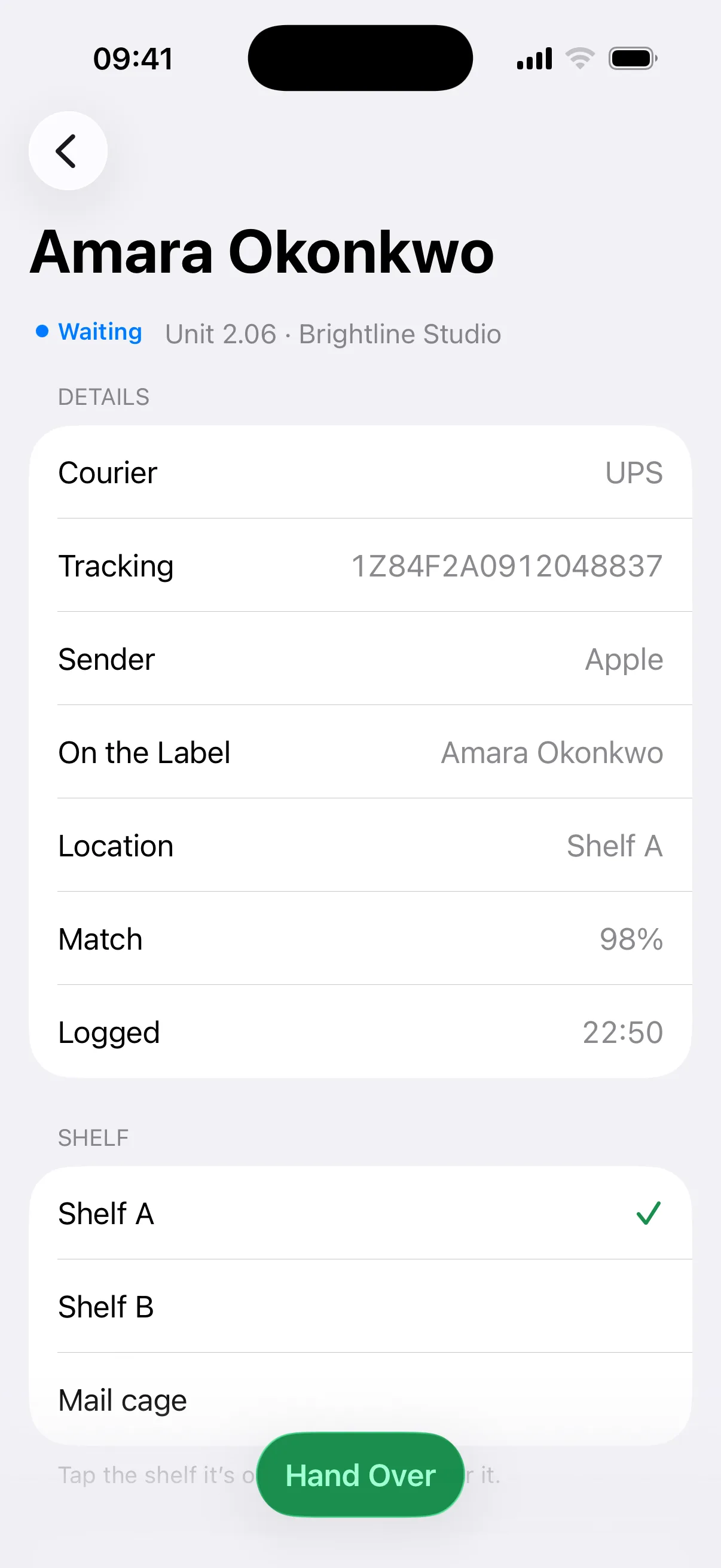
A scan a parcel, even at peak.
Mailroom reads each label in about four seconds and emails the student straight away, so a backlog takes minutes, not an afternoon.
For student accommodation and halls
Scan the label and Mailroom does the rest: it matches the student or room, sends their pickup code and records the handover.
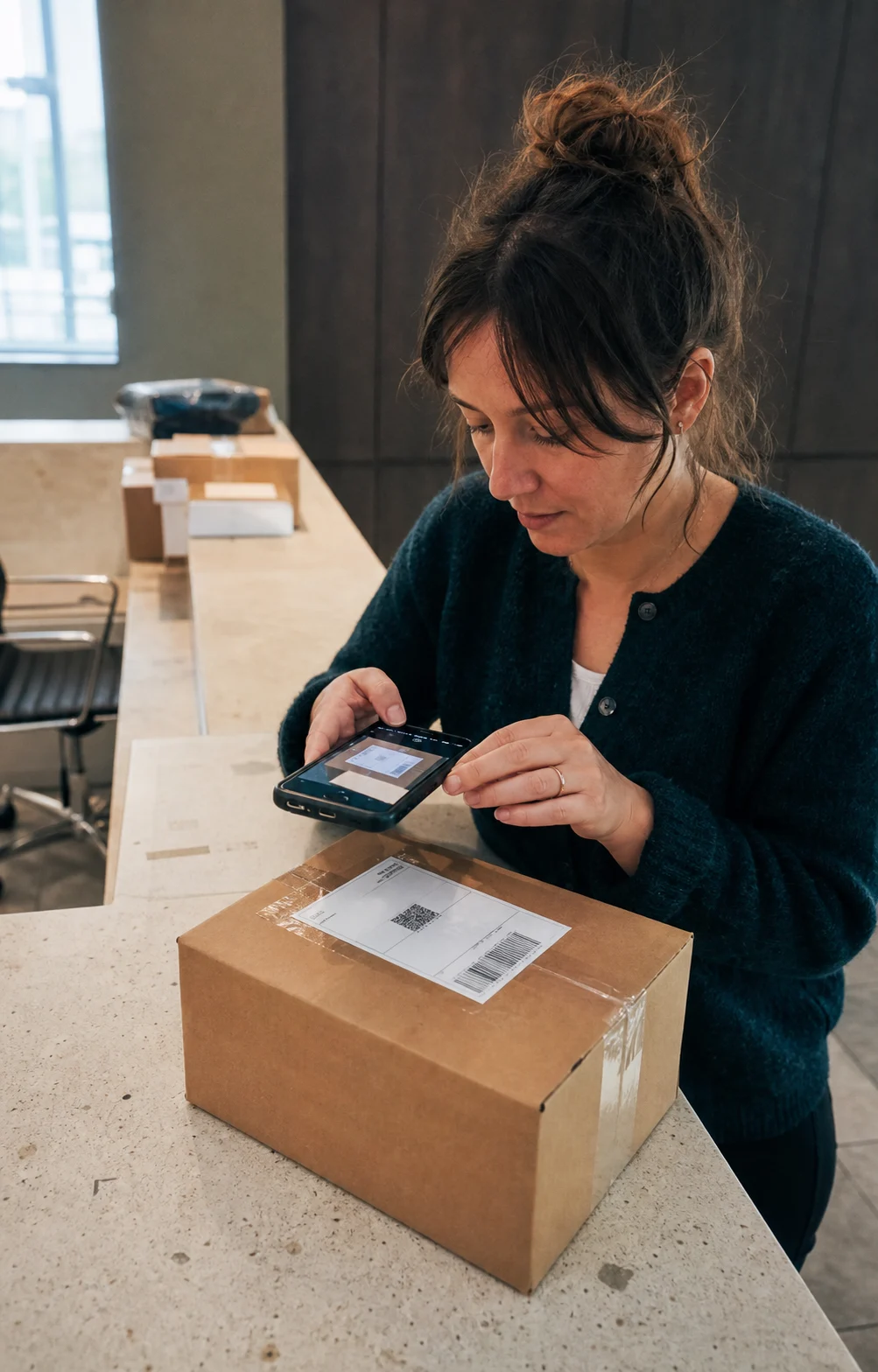
Move-in week brings hundreds of new residents and their parcels all at once. Logging each one by hand takes hours, and in a packed parcel room, things go missing. Mailroom’s AI reads the label and notifies the student in seconds, reminds them until they collect, and keeps a record of every step.
Manual times are our estimate for a paper log with emails written by hand.
Based on 3.2 min saved per parcel, 21.7 working days a month and £15 an hour of desk time.
Mailroom reads each label in about four seconds and emails the student straight away, so a backlog takes minutes, not an afternoon.
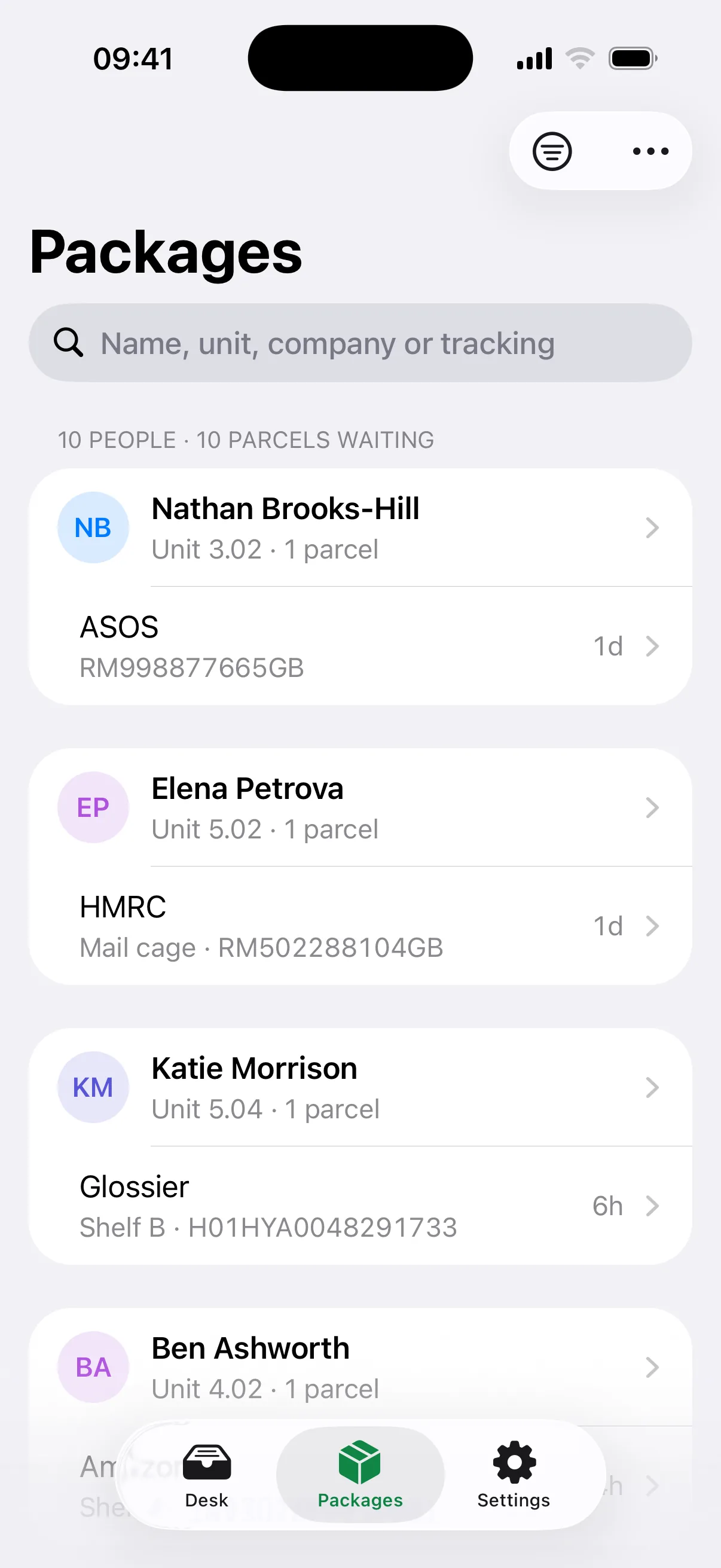
Add nicknames and room numbers to your list. A label with only a room is routed there, and when Mailroom isn’t sure, it asks you to pick.
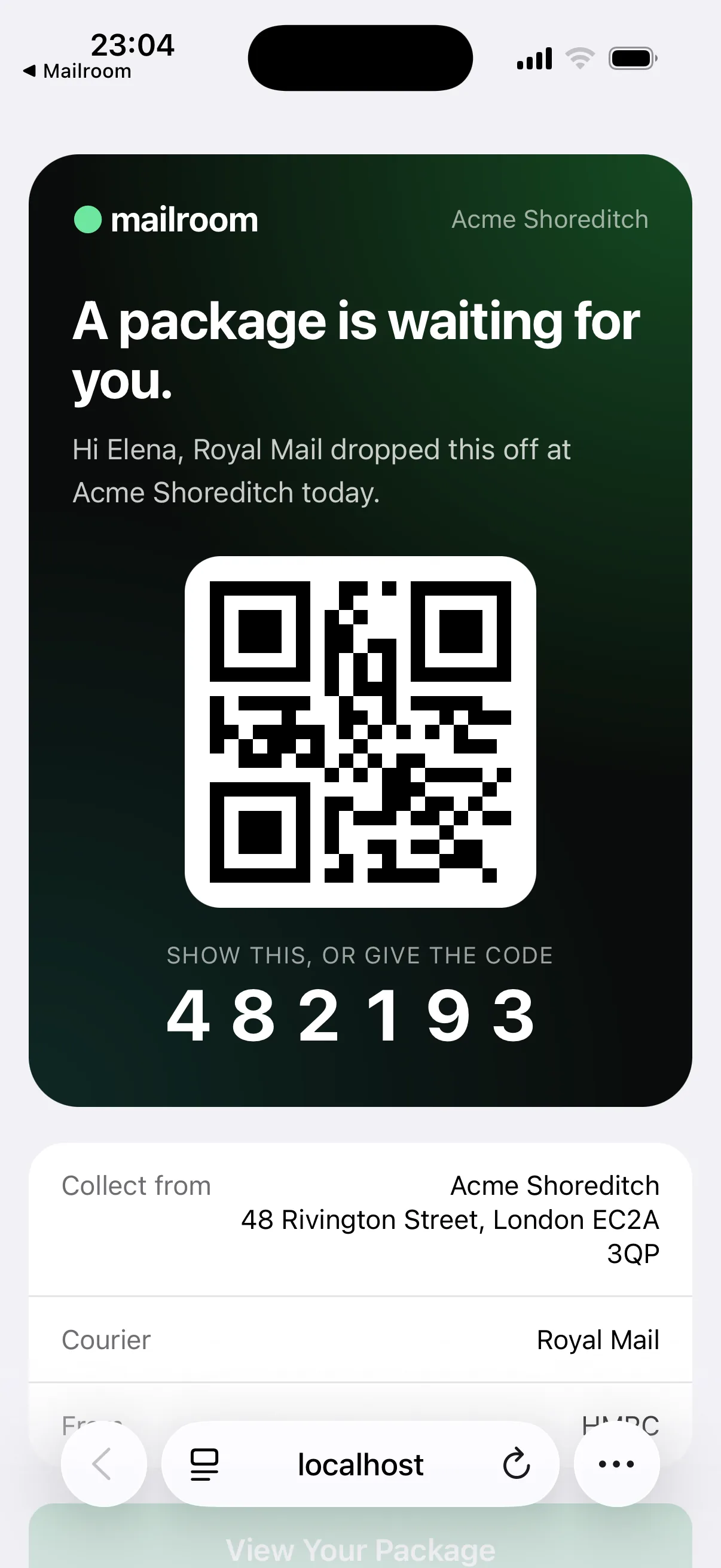
Students get an arrival email as soon as you scan, then reminders on the days you choose. Anything uncollected can go back to the sender, on the record.
Mailroom reads the name, company, courier and tracking number from any label, then checks the name against your directory. How sure it is decides what happens next.
The student gets their pickup code seconds after the scan. Nobody types anything.
Mailroom shows its top suggestions. One tap confirms the right one, then it sends.
The parcel waits in a holding queue. Nobody is emailed until someone assigns it.
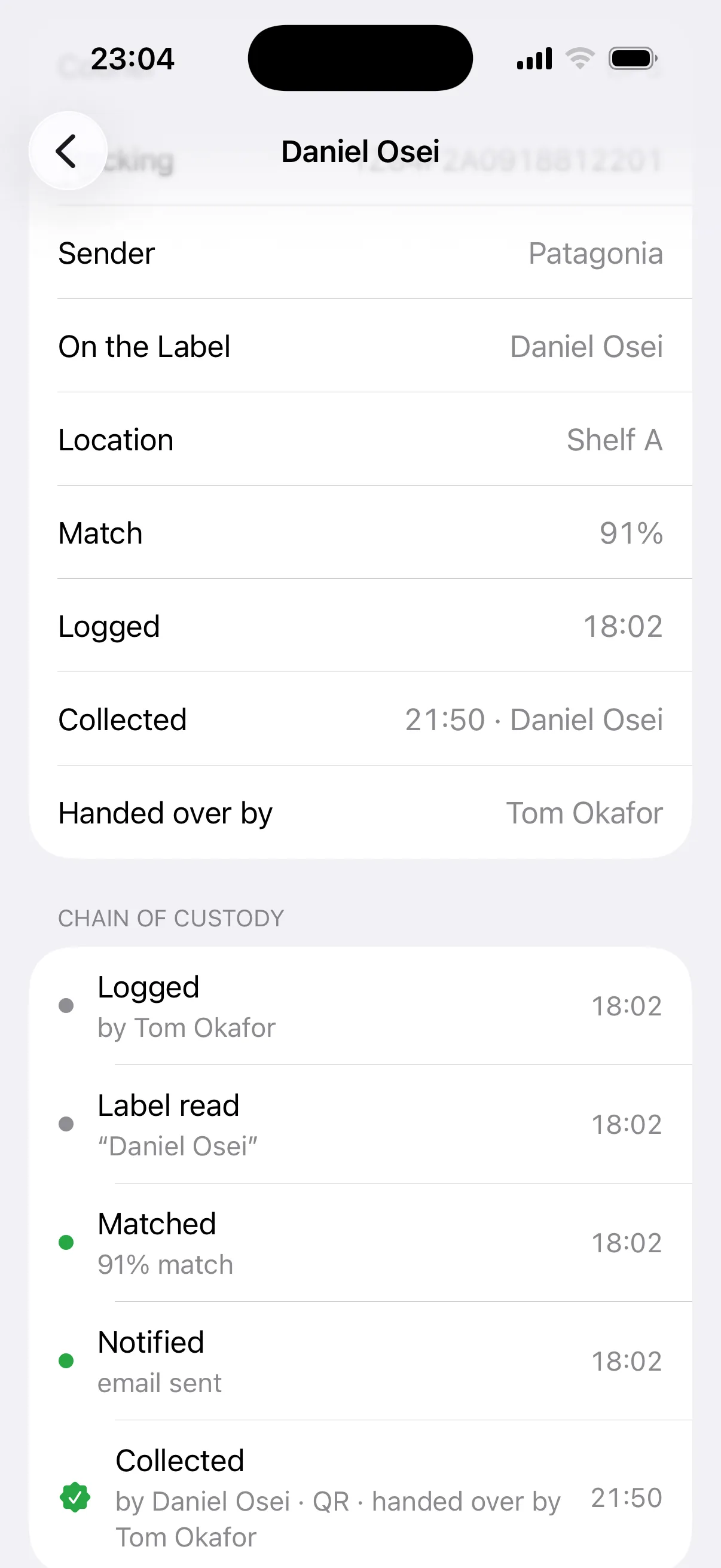
Every parcel has a timestamped history: when it was logged, when the student was told, and when and how it was collected. When a student asks, you have the answer in seconds.
Keep residents and rooms in a Google Sheet that Mailroom syncs every hour, or upload a CSV from your housing system. Leavers drop out, and new students match from their first parcel.
£63 a month + VAT per building, up to 400 beds. Parcels, students and desk logins are unlimited, so move-in week costs the same as any other. Larger buildings and portfolios: talk to us.
See plans and pricingNo. Students get an email with a QR code and a six-digit PIN, plus a live status page for their parcel. Only your desk team uses the Mailroom app.
That’s fine. There’s no limit on students or parcels, so you can import the whole building at once. The price is set by the number of beds, not the number of people on the list.
Update your sheet and leavers drop out on the next sync, so the list stays current. The price doesn’t change, because it follows beds, not residents. If a sync would remove a lot of people at once, Mailroom asks you to confirm first.
Yes. The student can pass on their pickup email, and whoever shows the QR code or PIN can collect. The collection is recorded either way.
Not directly yet. Export residents to a Google Sheet that Mailroom syncs every hour, or upload a CSV.
Download the app, create your organisation and enter the number of beds, import residents from a Google Sheet or CSV, then invite your desk team and scan the first parcel. The 30-day trial needs no card.
Import your residents, invite the desk team and scan. 30 days free, no card required.
Or log in on the web